

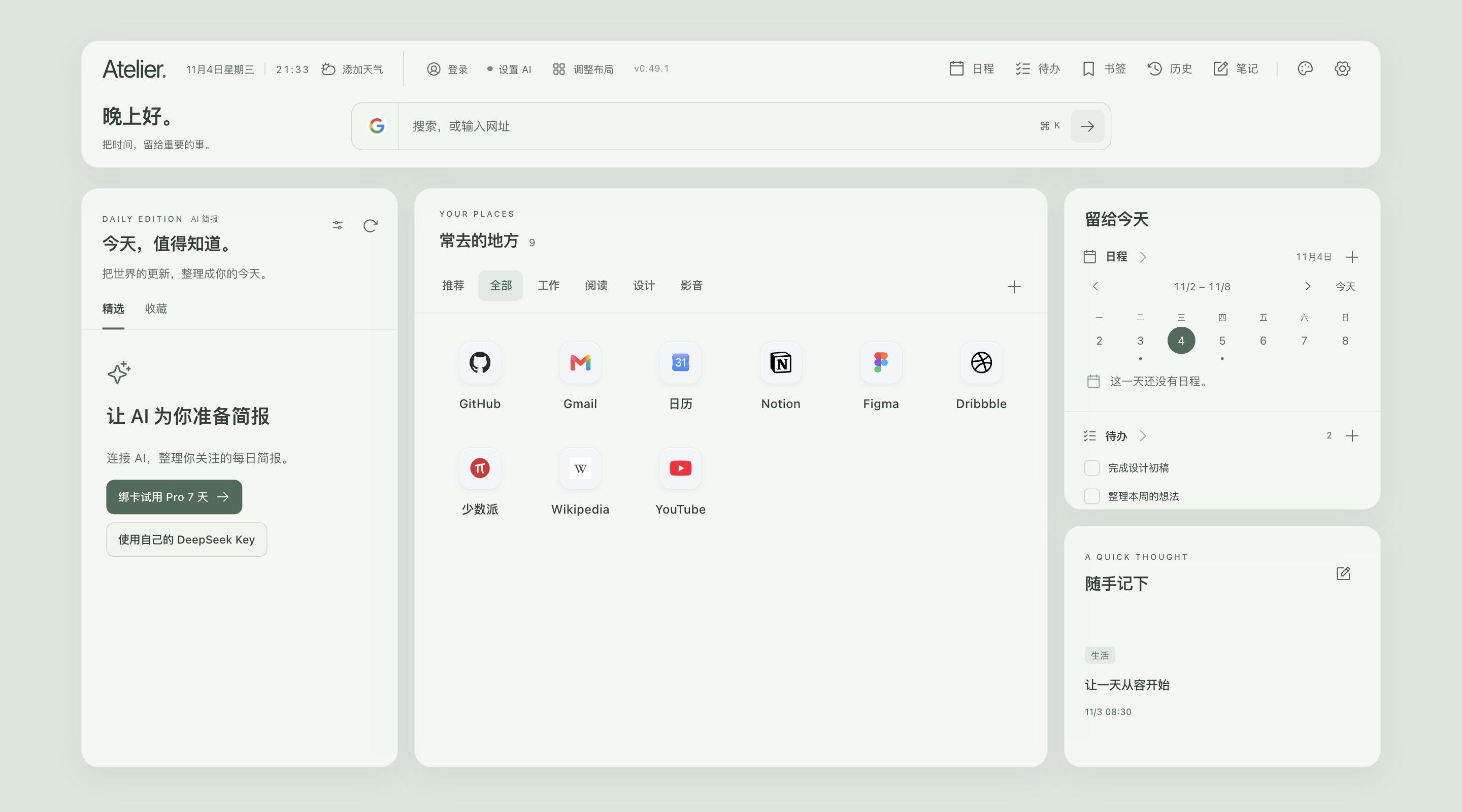
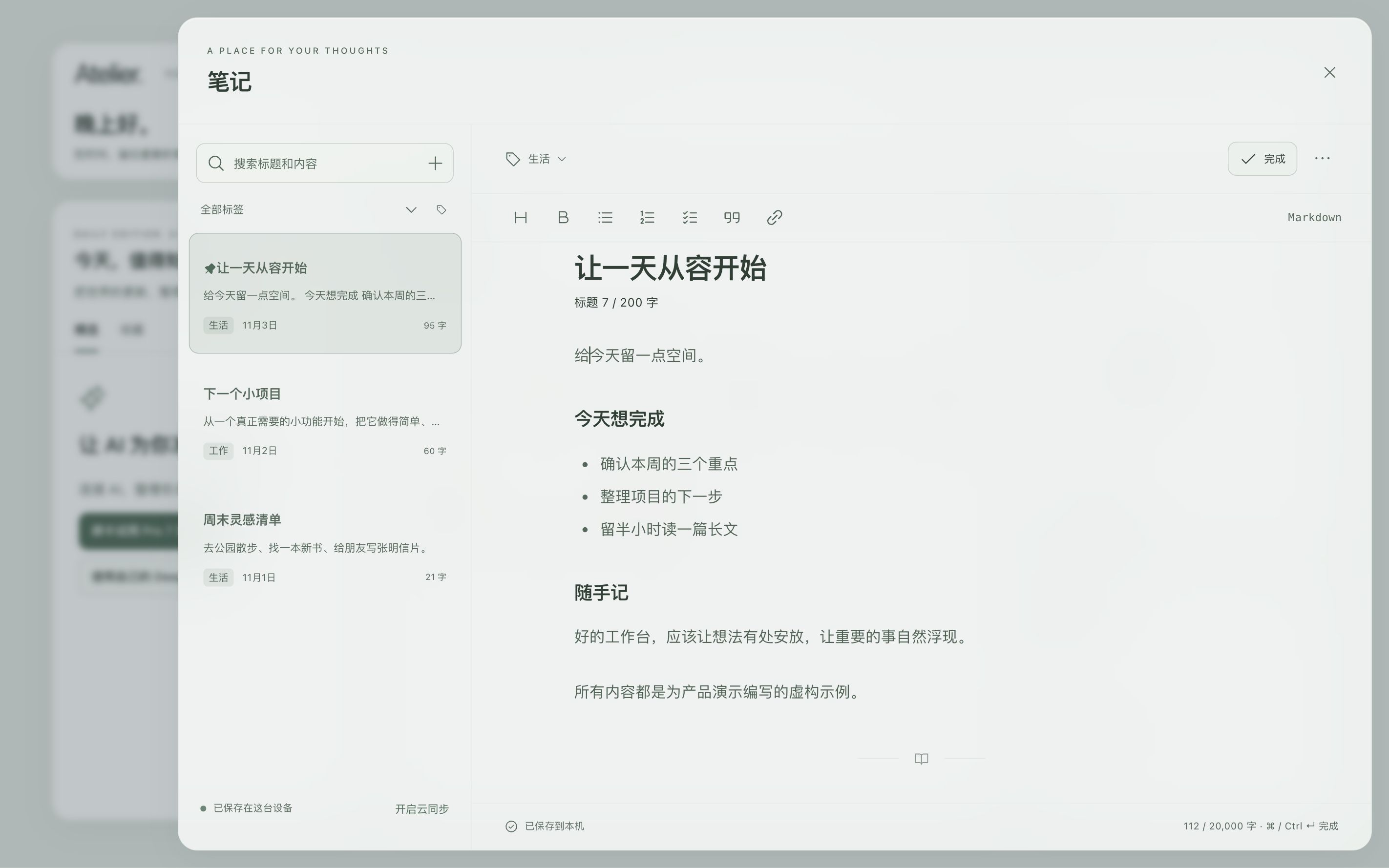
用笔记,把想法落下来。
比如在开会后,立刻记下下一步、需要跟进的人和时间。梳理清楚,就更容易推进。
基础功能,无需账号
网站、笔记、日程与待办等本机功能,打开新标签页就能用。
登录后,开启同步
登录你的账号,在多台设备间同步支持的内容;可随时暂停。
使用 AI,需要登录
选择 Pro 内置 AI,或使用自己的 DeepSeek Key。


Pro US$1.99/月 · US$14.99/年
7 天试用需绑卡,到期自动续费;可随时取消,保留原七天剩余权益。适用税费以结账页为准。
 Atelier.
比如在开会后,立刻记下下一步、需要跟进的人和时间。梳理清楚,就更容易推进。
网站、笔记、日程与待办等本机功能,打开新标签页就能用。
登录你的账号,在多台设备间同步支持的内容;可随时暂停。
选择 Pro 内置 AI,或使用自己的 DeepSeek Key。
7 天试用需绑卡,到期自动续费;可随时取消,保留原七天剩余权益。适用税费以结账页为准。
ATELIER · YOUR CHROME NEW-TAB WORKSPACE
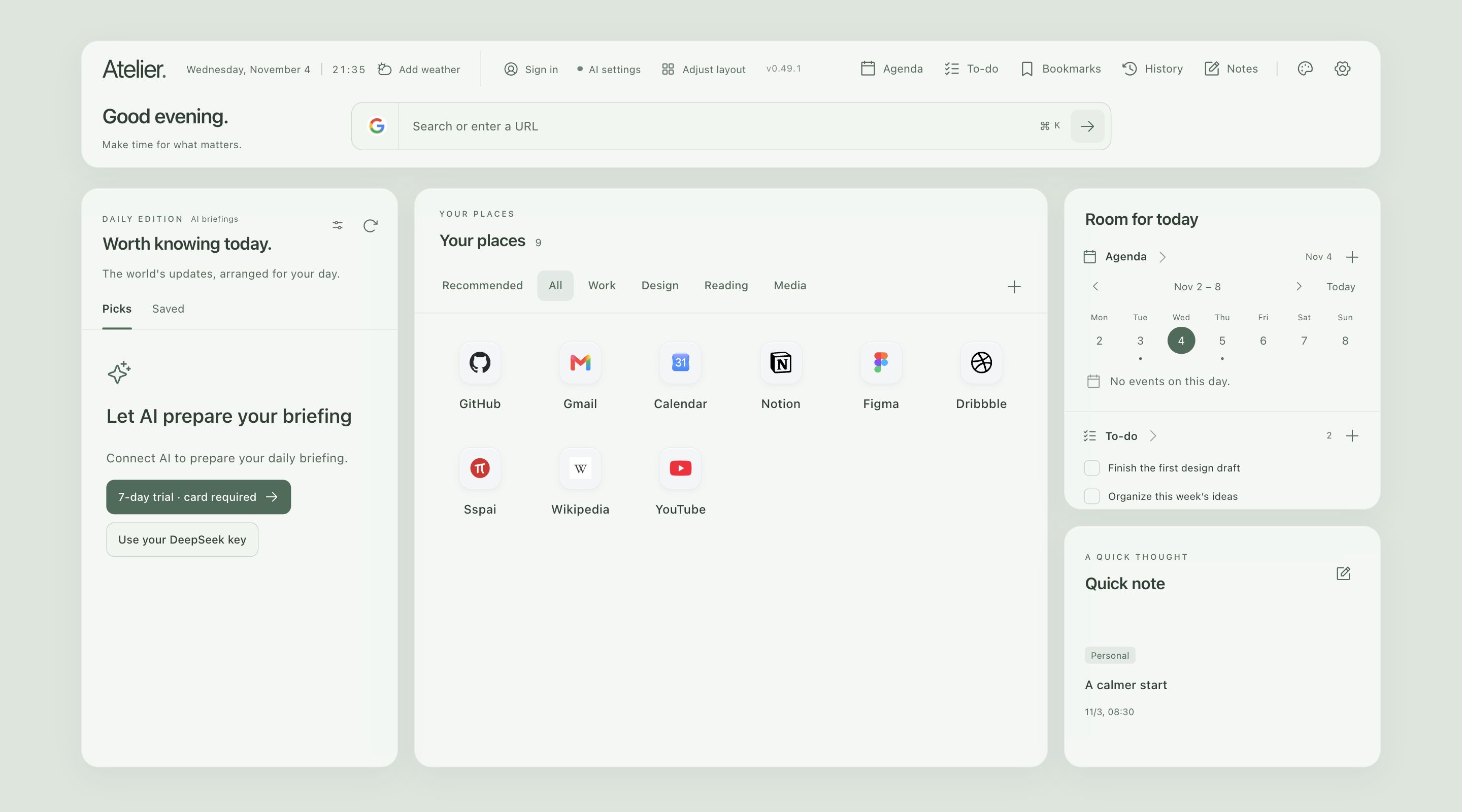
Your sites, notes, and plans, ready when you open a new tab.
Chrome Web Store release in preparation
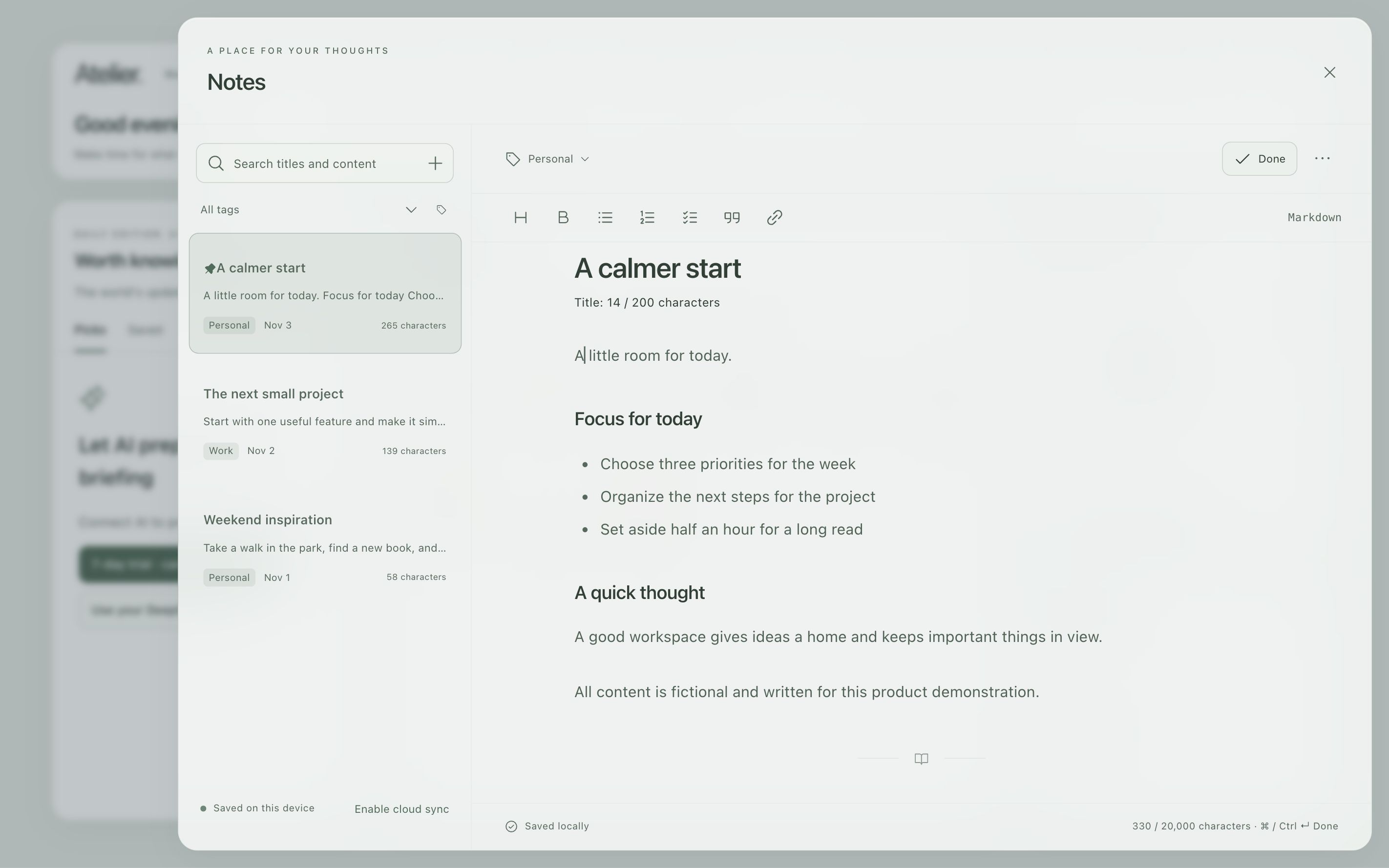
After a meeting, capture the next step, who to follow up with, and when. A little clarity makes it easier to move forward.
Use local sites, notes, plans, and tasks from your new tab.
Continue across devices with supported content. Pause sync whenever you choose.
Choose Pro’s built-in AI or connect your own DeepSeek key.
The 7-day trial requires a card and renews automatically. Cancel anytime and keep the remaining original trial. Applicable tax is shown at checkout.